Instagram Image and Post Size Guide
Getting your Instagram image and post sizes right is one of the easiest ways to improve the quality and appearance of your content. Upload an image with the wrong dimensions, and Instagram may crop it automatically, cutting off important details or changing your intended composition. If your file is too small or low in resolution, it can appear blurry or pixelated on modern high-resolution displays, reducing the overall impact of your post.
This Instagram Image and Post Size Guide covers the recommended dimensions, aspect ratios, resolutions, and best practices for every major Instagram post format, including square, portrait, landscape, carousel, Stories, Reels, and profile pictures, so your content always looks sharp and performs at its best.
Using the correct image size from the start helps your photos and graphics display as intended across the Instagram feed, profile grid, and other supported placements. It also saves editing time, minimizes quality loss during upload, and creates a more professional and consistent look for your brand or personal account.
Why Post Size Matters on Instagram
Instagram does not display every image the way you uploaded it. The platform crops, compresses, and resizes images based on its own display rules. If your image does not match Instagram’s preferred dimensions, one of two things happens Instagram crops it to fit, or it compresses it in a way that reduces quality.
Uploading images at the correct size from the start prevents both problems and ensures your content looks professional across all devices.
Instagram Post Size Overview
Here is a quick reference for every major Instagram post type:
| Post Type | Recommended Size | Aspect Ratio |
|---|---|---|
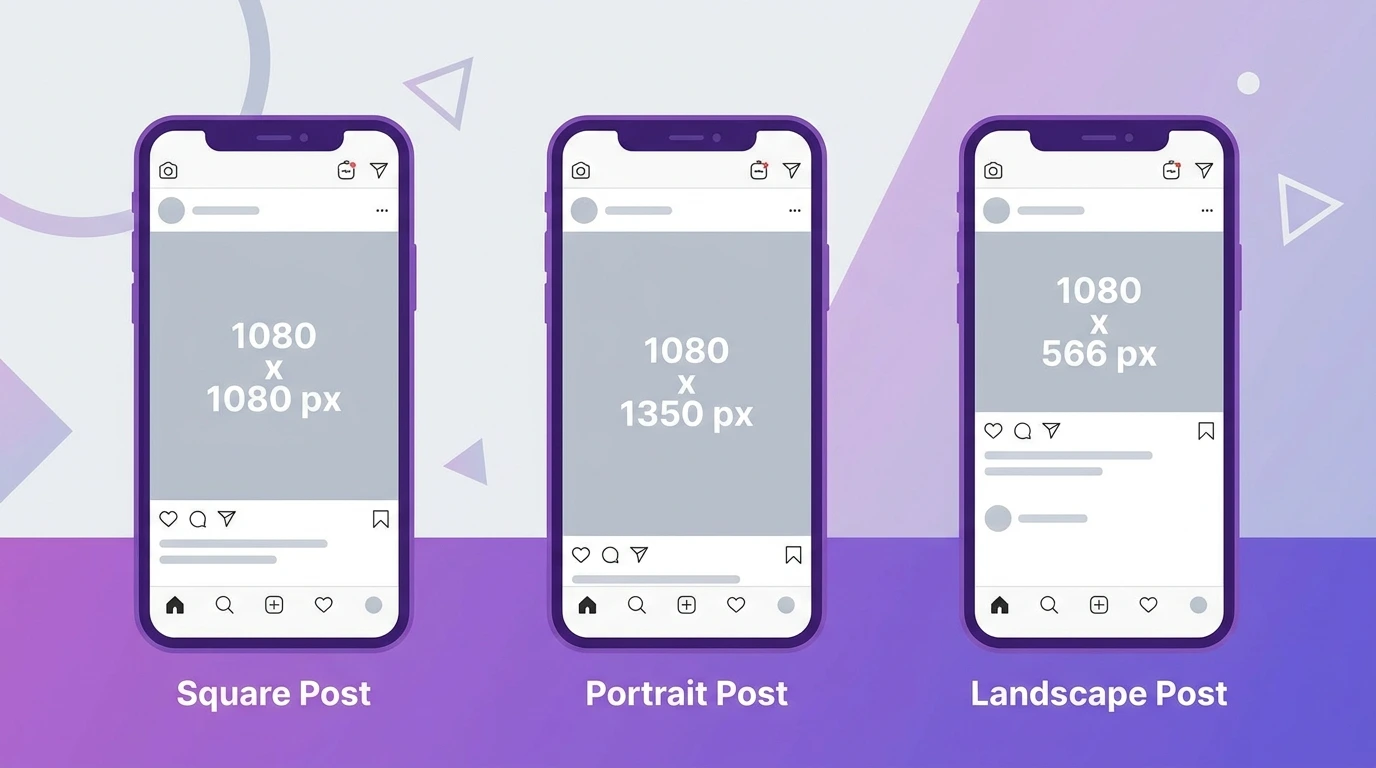
| Square Post | 1080 x 1080 px | 1:1 |
| Portrait Post | 1080 x 1350 px | 4:5 |
| Landscape Post | 1080 x 566 px | 1.91:1 |
| Carousel Post | 1080 x 1080 px or 1080 x 1350 px | 1:1 or 4:5 |
| Instagram Reels | 1080 x 1920 px | 9:16 |
| Instagram Stories | 1080 x 1920 px | 9:16 |
All images should be uploaded at a minimum width of 1080 pixels. Instagram displays images at a maximum width of 1080 pixels on the feed.
Instagram Square Post Size
The square format (1:1 ratio) is the classic Instagram post format. At 1080 x 1080 pixels, square posts display cleanly on the feed and show a consistent look on your profile grid.
Square posts work well for product photos, portraits, and graphic content designed specifically for Instagram.
For complete details, see our guide on Instagram post size.
Instagram Portrait Post Size
Portrait posts (4:5 ratio) at 1080 x 1350 pixels take up more vertical space on the feed than square or landscape posts. This means they occupy more screen real estate as users scroll, which can improve visibility and engagement.
Portraiture is the most popular format for fashion, lifestyle, and personal photography content.
Instagram Landscape Post Size
Landscape posts (1.91:1 ratio) at 1080 x 566 pixels are wider than they are tall. They work well for architectural photography, scenery, and group shots where a wide frame is necessary.
Landscape posts display smaller on the feed and the profile grid compared to square or portrait formats.
For complete details, see our guide on landscape posts on Instagram.
Instagram Carousel Post Size
Carousel posts support up to 20 slides. All slides in a carousel should use the same aspect ratio for a consistent display. The most common formats are 1:1 (1080 x 1080 px) and 4:5 (1080 x 1350 px).
Mixing aspect ratios within a single carousel is technically possible but can result in inconsistent cropping across slides.
For full specifications, see our guide on carousel post size.
Instagram Image Resolution
Instagram recommends uploading images at 1080 pixels wide. The platform compresses images on upload, so starting with a high-resolution file helps preserve quality after compression.
For full guidance on maintaining image quality, see our guide on Instagram Image Resolution.
Square vs Portrait Which Format Should You Use
Both formats work well on Instagram, but they serve different purposes. Square posts look balanced and consistent on your profile grid. Portrait posts take up more feed space and can improve content visibility as users scroll.
If you are unsure which to choose, portrait (4:5) is generally the better default for most content types because of its larger on-screen presence.
For a full comparison, see our guide on Square vs. Portrait Posts on Instagram.
Instagram Aspect Ratio Explained
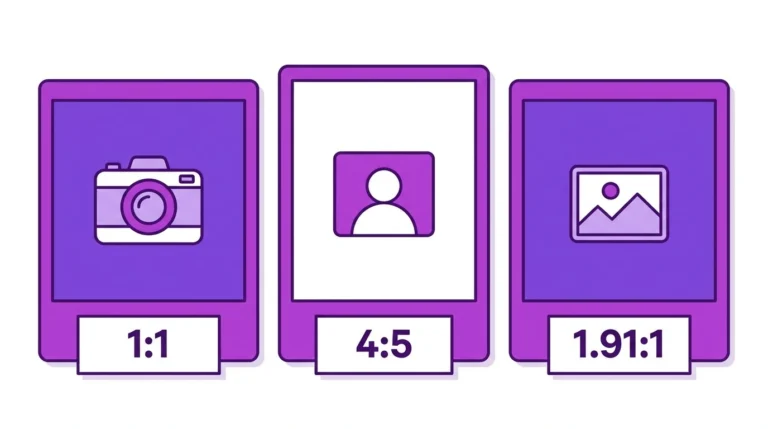
Aspect ratio is the relationship between the width and height of your image. Instagram supports three main aspect ratios for feed posts: 1:1 (square), 4:5 (portrait), and 1.91:1 (landscape).
Images uploaded outside these ratios will be automatically cropped by Instagram to fit the nearest supported ratio.
For a full explanation, see our guide on Instagram Aspect Ratio.
Instagram Post Templates
Using a template ensures your posts are always the correct size and maintain a consistent visual style. Templates are available in design tools such as Canva, Adobe Express, and Photoshop, all of which include pre-built Instagram post sizes.
For recommendations and how to use them, see our guide on Instagram Post Templates.
Best Image Size for Instagram
The best image size for Instagram depends on the format you are using, but 1080 x 1350 pixels (portrait, 4:5) is the strongest all-around choice for most feed content. It provides the largest display area on the feed while staying within Instagram’s supported aspect ratios.
For a complete breakdown, see our guide on the best image size for Instagram.
Frequently Asked Questions
What happens if I upload an image that is too large for Instagram?
Instagram automatically resizes and compresses oversized images on upload. Starting with the correct dimensions and a high-quality file minimizes the impact of this compression.
What is the minimum image size for an Instagram post?
Instagram requires a minimum width of 320 pixels. However, uploading at 1080 pixels wide is strongly recommended for the best display quality.
Can I use different sizes for different slides in a carousel post?
Instagram will crop slides to match the first slide’s aspect ratio if they differ. Use the same dimensions across all slides in a carousel to avoid unwanted cropping.
Does image size affect Instagram engagement?
Image size itself does not directly affect engagement, but image quality does. Blurry or poorly cropped images create a negative first impression that can reduce saves, shares, and follows.
What file format should I use for Instagram posts?
JPEG is the most common format for Instagram posts. PNG files are also supported and preserve higher quality for graphics and text-heavy images. Instagram does not support GIF files for feed posts.
Conclusion
Using the correct Instagram post size ensures your content looks exactly the way you designed it no unwanted cropping, no quality loss, and no blurry uploads. Whether you are posting a single photo, a carousel, or a landscape image, matching Instagram’s recommended dimensions from the start saves time and produces better results.
Use this guide as your reference point and explore the individual guides in this cluster for detailed specifications on every post format.