Instagram Aspect Ratio Guide for All Post Types
The Instagram aspect ratio is one of the most important technical decisions you make when preparing content for Instagram. The wrong ratio leads to automatic cropping that can remove key parts of your image. The right ratio ensures your content displays exactly as you designed it.
What Aspect Ratio Means
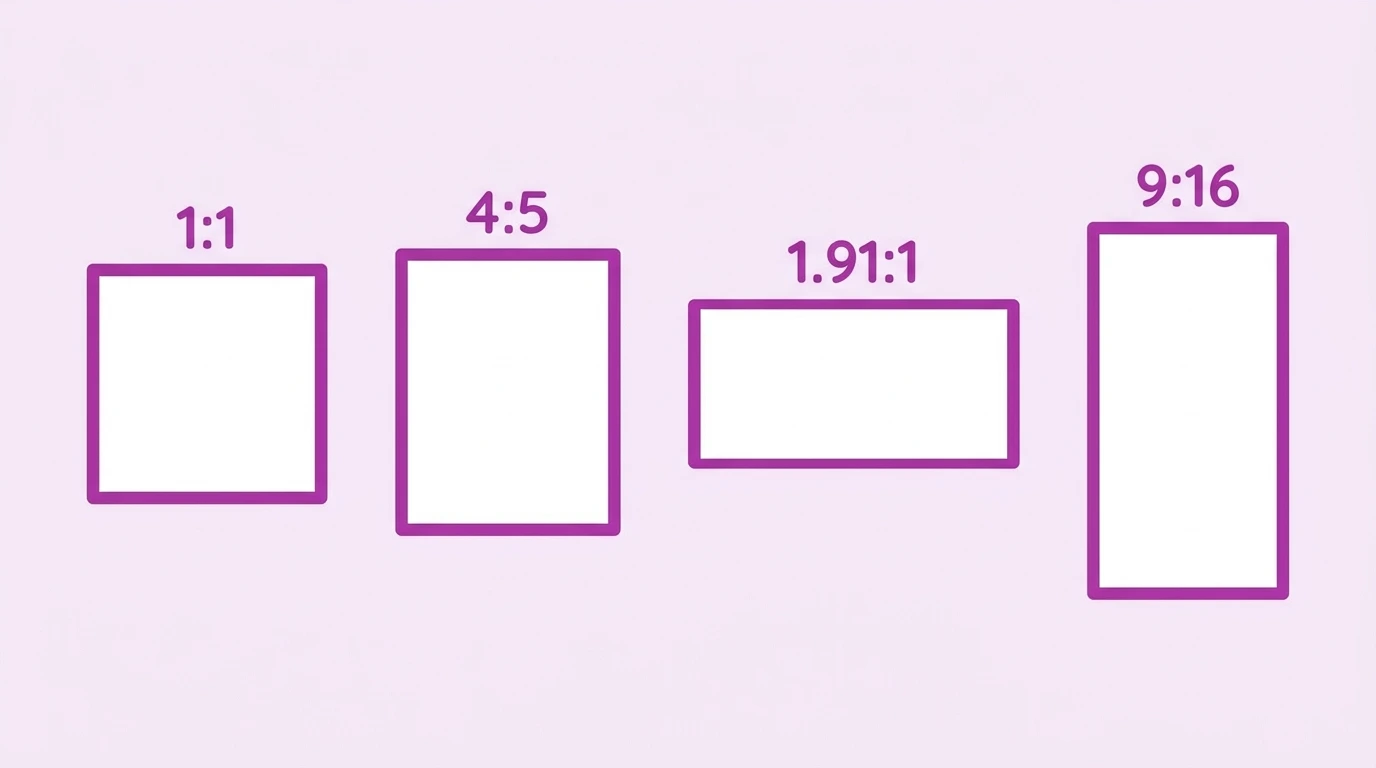
Aspect ratio is the proportional relationship between the width and height of an image or video. It is written as two numbers separated by a colon; for example, 4:5 means the image is 4 units wide and 5 units tall.
Instagram uses aspect ratios to determine how your content fits within its feed, grid, and full-screen display formats.
Aspect Ratios for Every Instagram Format
Feed Posts
| Format | Aspect Ratio | Pixel Dimensions |
|---|---|---|
| Square | 1:1 | 1080 x 1080 px |
| Portrait | 4:5 | 1080 x 1350 px |
| Landscape | 1.91:1 | 1080 x 566 px |
Instagram Reels
| Aspect Ratio | Pixel Dimensions |
|---|---|
| 9:16 | 1080 x 1920 px |
Instagram Stories
| Aspect Ratio | Pixel Dimensions |
|---|---|
| 9:16 | 1080 x 1920 px |
Instagram Carousel Posts
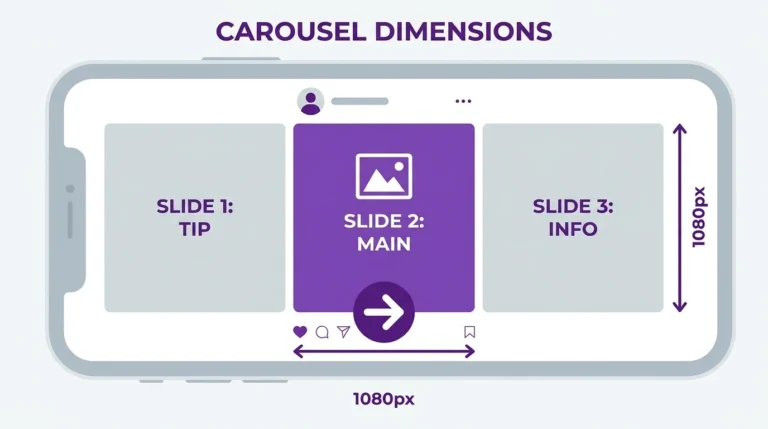
Carousels support the same ratios as standard feed posts: 1:1 or 4:5. All slides in a carousel must share the same ratio.
What Happens When You Use the Wrong Ratio
Instagram will not reject an image simply because it has an unsupported ratio. Instead, the platform crops it automatically to fit the nearest supported format.
For example:
- A 9:16 portrait photo uploaded as a feed post gets cropped to 4:5
- A 16:9 landscape photo gets cropped to 1.91:1
- A 3:2 DSLR photo gets cropped to 1:1
Cropping happens from the center of the image outward. This means content near the edges of your photo may be cut off.
Choosing the Right Aspect Ratio
The best ratio depends on your content type and where it will be displayed:
- Feed post, general use: 4:5 portrait gives the most screen space
- Feed post, consistent grid: 1:1 square maintains a uniform profile appearance
- Wide-angle or panoramic: 1.91:1 landscape when horizontal framing is essential
- Reels and Stories: 9:16 vertical full-screen
Frequently Asked Questions
What is the best aspect ratio for Instagram posts?
For feed posts, 4:5 (portrait) gives your content the most visibility on screen. For Reels and Stories, use 9:16 (vertical).
Can I post a 16:9 video to my Instagram feed?
Yes, but Instagram will crop it to 1.91:1 (landscape). If your video is 16:9, it will display with slight cropping on the sides. Consider reformatting it to 4:5 or 1:1 for better feed display.
Does Instagram support a 3:2 aspect ratio?
No. The 3:2 ratio used by many DSLR cameras is not supported by Instagram. Your image will be cropped to the nearest supported ratio typically 1:1 for slightly tall images or 1.91:1 for wider ones.
Is the aspect ratio the same as the image size?
No. Aspect ratio describes the proportional shape of the image. Image size describes the actual pixel dimensions. Two images can share the same aspect ratio but have different pixel dimensions.
Do Reels and Stories use the same aspect ratio?
Yes. Both Reels and Stories use a 9:16 vertical aspect ratio at 1080 x 1920 pixels.
Conclusion
Understanding Instagram’s supported aspect ratios helps you prepare content that displays correctly without unwanted cropping. Use 4:5 for most feed posts, 1:1 for a consistent grid look, 1.91:1 for landscape content, and 9:16 for Reels and Stories.
For the full set of Instagram size specifications, visit our Instagram Image & Post Size Guide.