Square vs Portrait Instagram Posts: Which Should You Use?
Square and portrait are the two most popular formats for Instagram feed posts. Both work well, but they serve slightly different purposes and display differently on the feed and profile grid. Choosing the right one for your content makes a practical difference in how your posts appear.
Square Posts (1:1 Ratio)
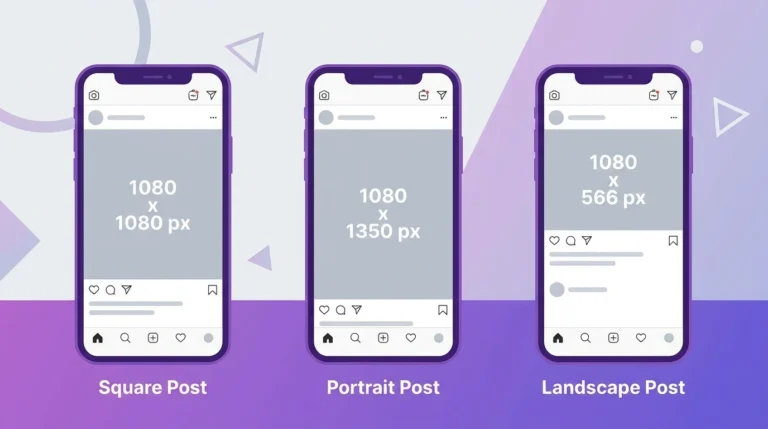
Dimensions: 1080 x 1080 px
Aspect ratio: 1:1
Square posts have equal width and height. They were the original Instagram format and remain a strong, versatile choice for most content types.
Advantages of square posts:
- Display consistently on your profile grid without unexpected cropping
- Work well for branded graphics, logos, and product photos designed for a square frame
- Easy to design because the format is predictable and familiar
- Look balanced when displayed alongside other square posts on your grid
Limitations of square posts:
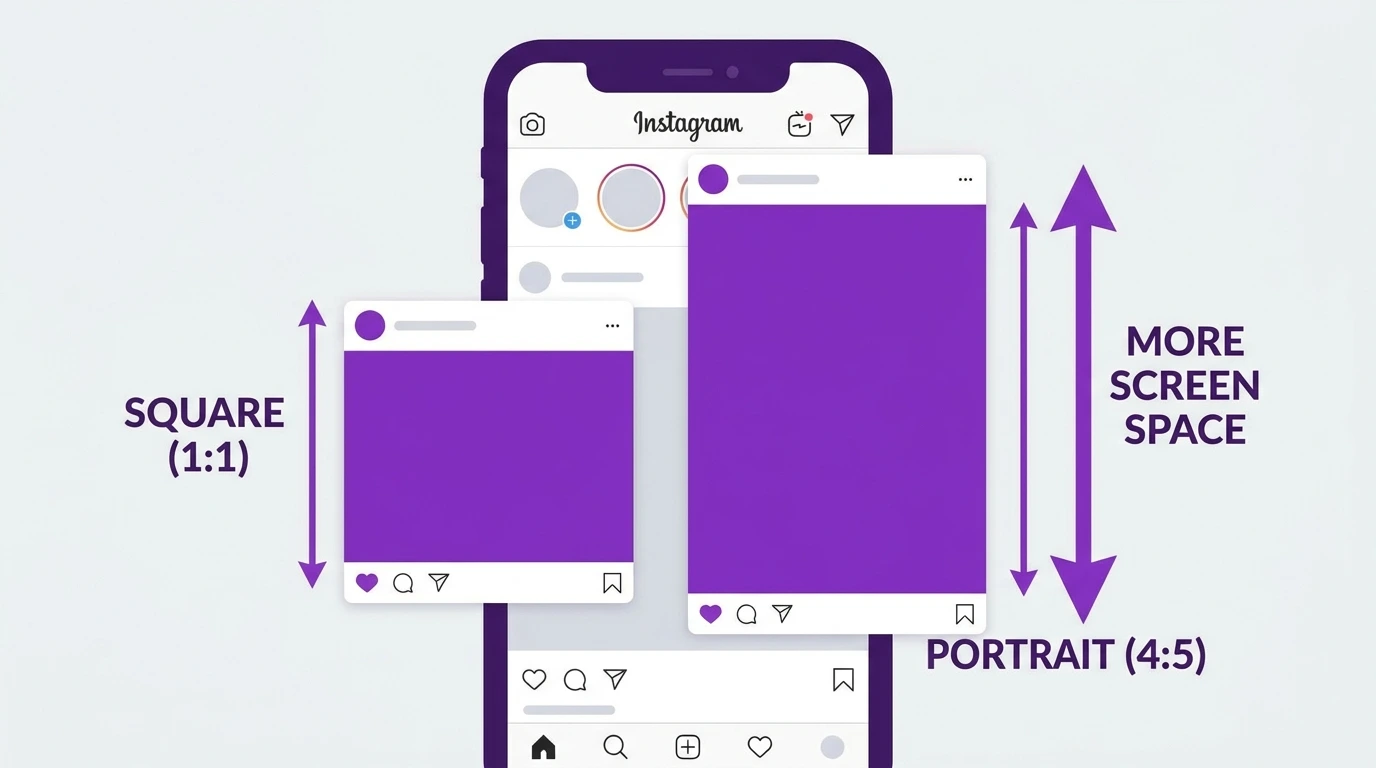
- Take up less vertical screen space on the feed than portrait posts
- Users scroll past square content faster because it occupies less of their screen
Portrait Posts (4:5 Ratio)
Dimensions: 1080 x 1350 px
Aspect ratio: 4:5
Portrait posts are taller than they are wide. They take up more vertical space on the feed than any other Instagram feed format.
Advantages of portrait posts:
- Occupy the most screen space of any supported feed format
- Keep users on your content longer as they scroll
- Work naturally for photos taken in portrait orientation on a phone
- Generally recommended for content where maximum feed visibility matters
Limitations of portrait posts:
- Display as square thumbnails on your profile grid, which means the top and bottom of the image get cropped in grid view
- Require more planning if grid appearance is important to you
How Each Format Looks on the Feed vs the Grid
| Format | Feed Display | Grid Display |
|---|---|---|
| Square (1:1) | Moderate size | Full image visible |
| Portrait (4:5) | Largest size | Cropped to square |
On the feed, portrait posts clearly take up more space. On the profile grid, both formats display as square thumbnails, but portrait posts are cropped to show only the center portion of the image.
Which Format Should You Choose
Choose square (1:1) if:
- Grid consistency and appearance matter to you
- Your content is designed specifically for a square frame
- You are posting product photos, branded graphics, or illustrations
Choose portrait (4:5). if:
- Maximum visibility on the feed is your priority
- Your photos are taken in portrait orientation
- You are posting fashion, lifestyle, editorial, or people-focused content
For most creators and brands focused on feed performance, portrait (4:5) is the stronger default choice.
Frequently Asked Questions
Does a portrait or a square get more engagement on Instagram?
Portrait posts tend to perform better on the feed because they occupy more screen space. However, engagement depends more on content quality than format choice. Good content performs well in either format.
Can I switch between square and portrait posts on the same account?
Yes. You can use different formats for different posts. Just be aware that mixing formats affects the appearance of your profile grid.
Will a portrait post look bad on my grid?
Portrait posts are cropped to square thumbnails on your grid. If the main subject of your portrait image is centered, it will display well as a grid thumbnail. Check the crop preview before publishing.
Is there a quality difference between square and portrait posts?
No. Instagram applies the same compression and quality standards to both formats. The difference is purely in the display dimensions.
What format do most professional Instagram accounts use?
Most content creators and brands use a mix of square and portrait depending on the content. Portraits are more common for feed-focused content because of their larger display area.
Conclusion
Both square and portrait formats have their place on Instagram. Square gives you a consistent, predictable grid. Portrait gives your content maximum visibility on the feed. For most feed-focused content, a portrait (4:5) at 1080 x 1350 px is the stronger choice.
For full dimension and size specifications, visit our Instagram Image & Post Size Guide.