Instagram Post Size: Correct Dimensions for Every Format
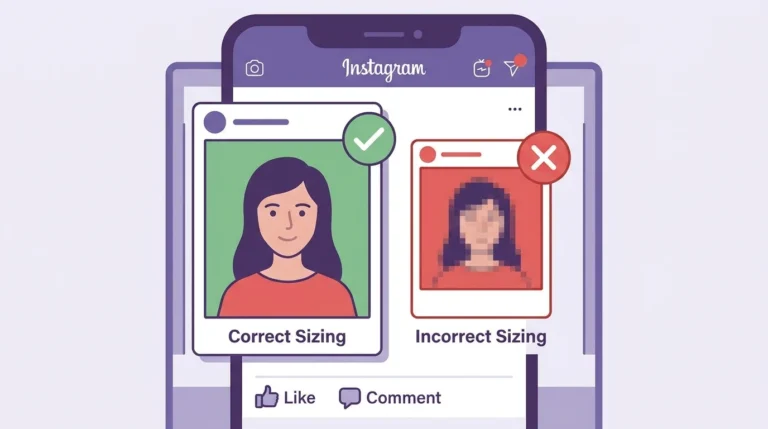
Uploading your images at the correct size is the easiest way to make sure your Instagram posts look sharp and display without unexpected cropping. Instagram accepts a range of image sizes but performs best when you match its recommended dimensions precisely.
Instagram Post Size by Format
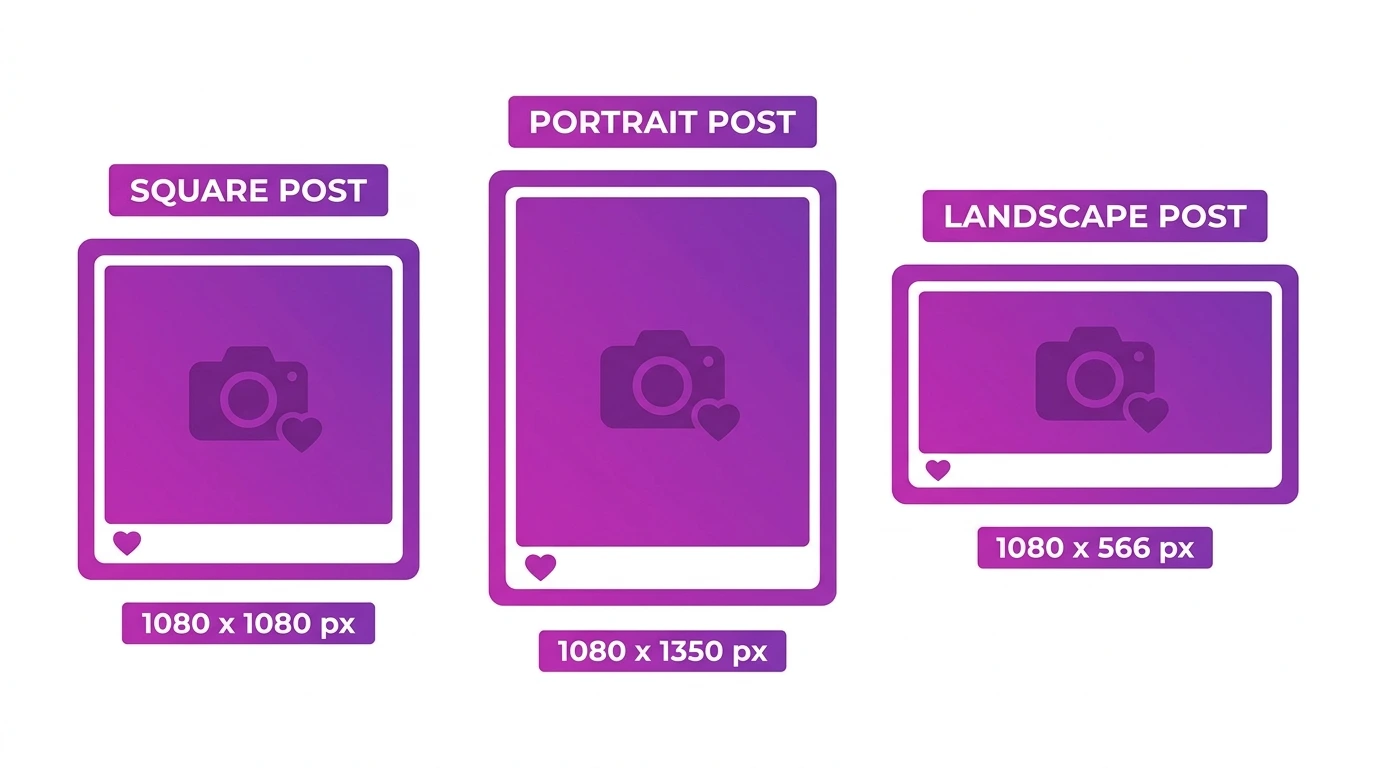
Square Posts
- Dimensions: 1080 x 1080 pixels
- Aspect Ratio: 1:1
- Use: General content, product photos, graphics
Square is the original Instagram format and still works well for most content types. It displays evenly on your profile grid and scales cleanly across all screen sizes.
Portrait Posts
- Dimensions: 1080 x 1350 pixels
- Aspect Ratio: 4:5
- Use: Fashion, lifestyle, portraits, editorial content
Portrait posts take up more vertical space on the feed, giving your content more visibility as people scroll. This makes portrait the preferred format for most feed content today.
Landscape Posts
- Dimensions: 1080 x 566 pixels
- Aspect Ratio: 1.91:1
- Use: Wide-angle photography, scenery, group shots
Landscape posts appear smaller on the feed and grid compared to square and portrait formats. Use this format when your subject requires a wide frame that cannot be cropped.
Carousel Posts
- Dimensions: 1080 x 1080 px (square) or 1080 x 1350 px (portrait)
- Aspect Ratio: 1:1 or 4:5
- Slides: Up to 20 photos or videos
All slides in a carousel should use the same aspect ratio. The format of the first slide determines how all subsequent slides are displayed.
Instagram File Size Limits
- Photos: Maximum 8MB per image
- Videos: Maximum 4GB per file
- Recommended format: JPEG for photos, MP4 for videos
Instagram compresses all uploaded images automatically. Starting with a high-quality file at the correct dimensions reduces the visible impact of this compression.
Minimum and Maximum Image Sizes
| Specification | Value |
|---|---|
| Minimum width | 320 pixels |
| Maximum width displayed | 1080 pixels |
| Recommended upload width | 1080 pixels |
| Maximum file size (photo) | 8MB |
Uploading images wider than 1080 pixels does not improve display quality. Instagram will resize them down to 1080 pixels on upload.
Frequently Asked Questions
What size should I use if I only post one format on Instagram?
Portrait (1080 x 1350 px) is the best all-purpose choice. It takes up the most feed space and works well for most types of content.
Does uploading a larger image improve Instagram photo quality?
No. Instagram caps display width at 1080 pixels. Uploading at exactly 1080 pixels wide gives you the best balance of quality and file size.
Can I upload PNG files to Instagram?
Yes. Instagram supports both JPEG and PNG. PNG files are better for graphics and images with text because they preserve sharp edges. JPEG files are more efficient for photographs.
What happens if my image is smaller than 1080 pixels wide?
Instagram will stretch the image to fill the display area, which can reduce quality. Always upload at a minimum of 1080 pixels wide.
Does Instagram change my image size after I upload it?
Instagram resizes images that do not match its display specifications and compresses all uploaded images to reduce file size. This is why starting with the correct dimensions and a high-quality file matters.
Conclusion
Matching Instagram’s recommended post sizes before you upload takes very little time and makes a visible difference in how your content displays. Use 1080 x 1080 px for square posts, 1080 x 1350 px for portrait posts, and 1080 x 566 px for landscape posts.
For a complete overview of all Instagram image specifications, visit our Instagram Image and Post Size Guide.