Instagram Business Profile Setup
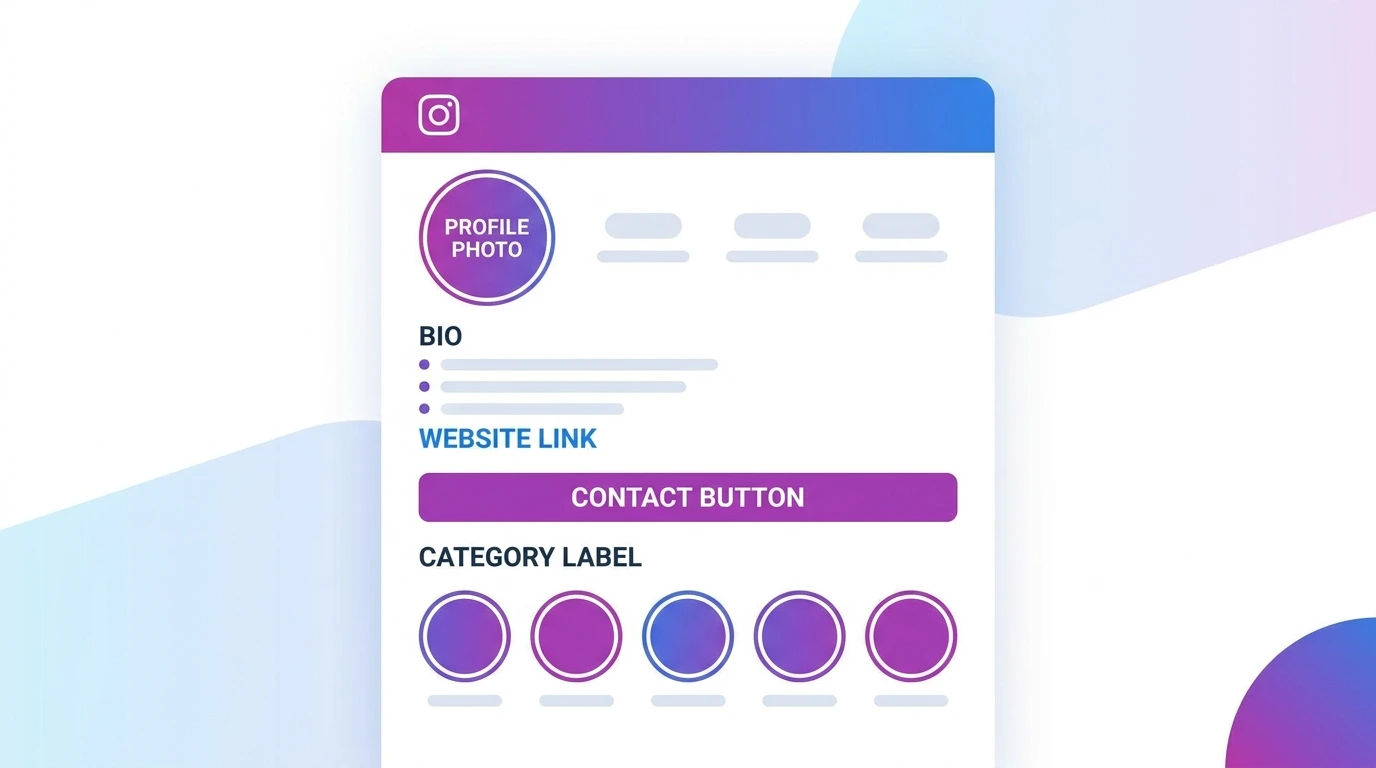
Setting up your Instagram business profile correctly is the foundation of everything you do on the platform. A complete, well-optimized Instagram business profile setup makes a strong first impression on visitors, communicates what your business does immediately, and gives potential customers a clear way to take action.
This guide walks through every element of your business profile and how to set each one up properly.
Profile Photo
Your profile photo appears as a small circle throughout Instagram on your profile, in search results, and next to your posts and comments. It needs to be recognizable even at a small size.
Recommendations:
- Use your business logo for brand recognition
- Upload at a minimum of 320 x 320 px for sharp display
- Use a simple, clean image that is legible at small sizes
- Avoid text-heavy images that become unreadable when scaled down
To update your profile photo:
- Go to your profile
- Tap your profile photo
- Select a new profile photo and choose your image
Username and Display Name
Your username is your @handle, the address people use to find and tag you. Your display name appears in bold at the top of your profile.
Username best practices:
- Use your business name or the closest available variation
- Keep it short and consistent with your other social media handles
- Avoid unnecessary numbers or underscores if possible
Display name best practices:
- Use your full business name as it appears on your website and other platforms
- You can include a keyword or location in the display name for searchability, for example: Sunrise Bakery London
Business Bio
Your bio has a 150-character limit. Use it to communicate exactly what your business does, who it serves, and what makes it worth following.
Biostructure that works:
- Line 1: What you do
- Line 2: Who you serve or your unique value
- Line 3: Call to action or current promotion
Avoid vague phrases like “official account” or “welcome to our page” use every character to communicate something useful.
Website Link
The website field in your bio accepts one clickable link. Use it to direct visitors to your most important destination your homepage, online store, booking page, or a link-in-bio page that connects to multiple destinations.
To add or update your website link:
- Go to your profile
- Tap Edit profile
- Enter your URL in the Website field
- Tap Done
Business Category
Your category label appears beneath your display name on your profile and tells visitors what type of business you run. It also helps Instagram understand your content and audience.
To set or change your category:
- Go to Edit profile
- Tap Category
- Search for and select the category that best describes your business
- Choose whether to display the category on your profile
For help choosing the right category, see our guide on Instagram Business Categories.
Contact Button
The contact button allows visitors to reach you directly from your profile via email, phone, or directions to a physical location. It appears as a button beneath your bio and follower count.
To set up your contact button:
- Go to Edit profile
- Tap Contact options
- Add your business email, phone number, and address as applicable
- Tap Done
For full contact button setup instructions, see our guide on Instagram Business Contact Button.
Linking Your Facebook Page
Connecting your Instagram business account to a Facebook page enables Meta Business Suite, cross-platform ad management, and additional features.
To link your Facebook page:
- Go to Settings and privacy
- Tap Account
- Select Linked Accounts
- Tap Facebook and complete the connection
Story Highlights
Story highlights appear as circles on your profile below your bio. They let you permanently display selected stories on your profile for visitors to browse.
Use Highlights to organize important content for new visitors such as product categories, customer reviews, FAQs, and behind-the-scenes content. Add a custom cover image to each highlight for a clean, branded look.
Frequently Asked Questions
How long should an Instagram business bio be?
Your bio can be up to 150 characters. Use every character purposefully. A bio that immediately communicates what you do and who you serve outperforms one that is vague or generic.
Should I display my business category on my profile?
In most cases yes. The category label helps visitors immediately understand what type of business you are and adds credibility. If the available categories do not accurately describe your business, you can choose to hide the label.
Can I have more than one link in my Instagram bio?
Instagram allows one clickable link in the bio. Many businesses use a link-in-bio tool such as Linktree or a custom landing page to direct visitors to multiple destinations from that single link.
How often should I update my Instagram business bio?
Update your bio whenever your offer, contact information, or call to action changes. Many businesses update the bio link seasonally to reflect current promotions or campaigns.
Do I need to complete every section of my business profile?
You do not have to, but a complete profile performs better. Profiles with a photo, bio, website link, category, and contact information appear more credible and give visitors more ways to engage with your business.
Conclusion
A complete Instagram business profile setup takes less than 30 minutes and makes a lasting difference in how visitors perceive your business. Fill in every section, use your bio space strategically, and make sure your contact information is accurate and visible.
For a full overview of all Instagram business account features, visit our Instagram Business Account Guide.