How to Fix SMS Not Receiving Code Telegram: 7 Proven Fixes
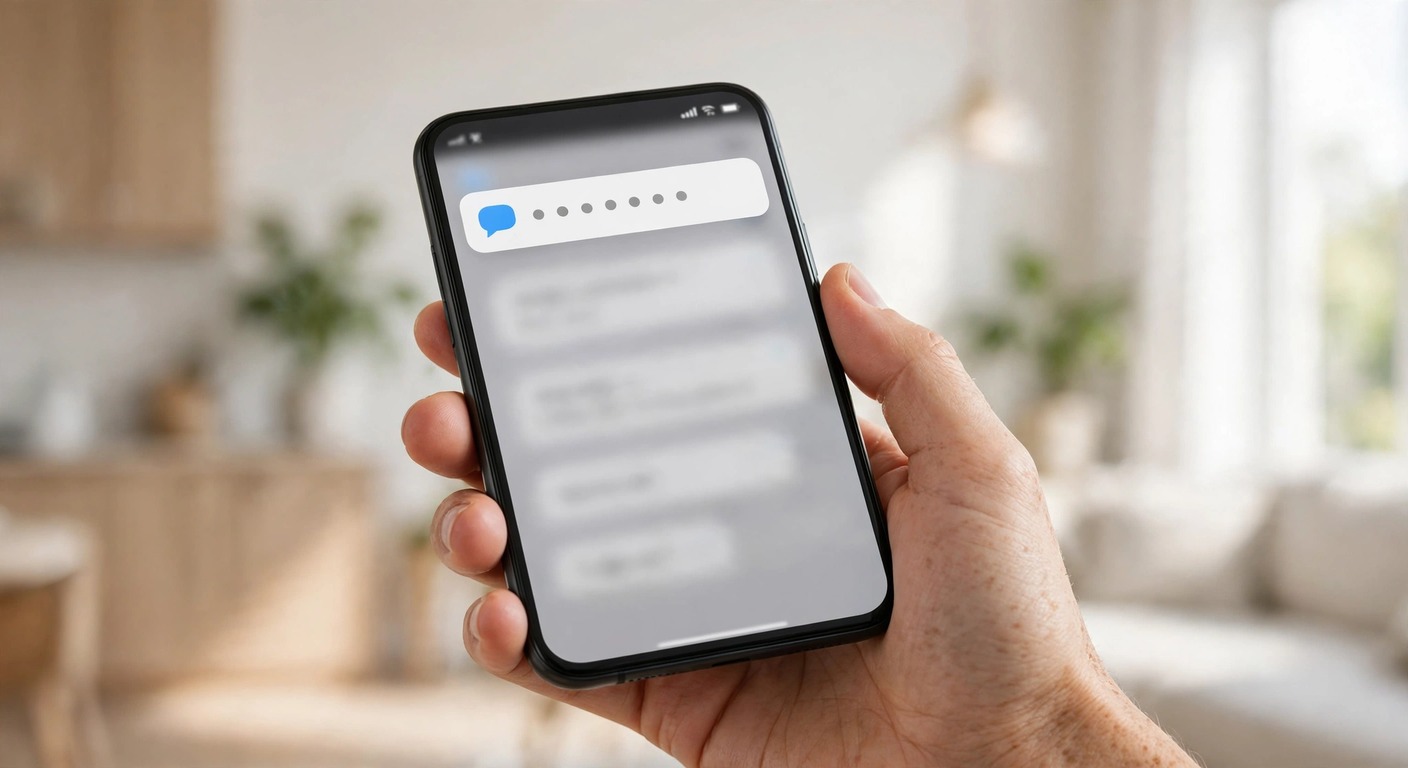
If you need to know how to fix sms not receiving code telegram, check your other signed in Telegram sessions first. Telegram often sends the login code to a session you already have open, not to SMS. That is why many people wait for a text that was never sent as a text.
Open Telegram on any phone, tablet, or computer where you are already signed in. Look for the chat named Telegram, which is the Telegram service notifications chat. Your telegram verification code may already be waiting there, even though no SMS arrived.
If you find a code there, enter it on the new device and stop. Do not request another code, because a fresh request can replace the code you already have.
If no code is in that chat, check the separate verification codes chat only for codes from other services. Login codes for your own Telegram account arrive in the Telegram service notifications chat, not in the third party verification codes chat.
Only after you have checked every signed in session should you treat this as an SMS problem. Then work through the SMS checks below, one at a time, and test after each change.
That session first rule is the core of how to fix sms not receiving code telegram, and the steps below apply it in order.
How to Fix SMS Not Receiving Code Telegram With a Simple Decision Tree
Step 1: Open every device where Telegram is already signed in. Check the Telegram service notifications chat for a code before you touch any phone setting.
Step 2: If a code is there, use it. If no code is there, confirm that you are checking the right account and the right phone number.
Step 3: If you have no other signed in session, move to SMS checks. Confirm the number, the signal, and any blocking or spam filter.
Step 4: If SMS still fails, wait for the on screen timer and look for a voice call option. Do not rush to reinstall, because reinstalling can sign you out of a working session.
This order matters because the most common cause is not a broken SMS system. It is a code that arrived in Telegram itself, while the user kept waiting for a text message.
How Telegram Delivers a Login Code
Telegram tries an existing session first. If you are signed in anywhere else, the code goes to that session in the Telegram service notifications chat.
SMS is the fallback when no active session can receive the code. That is why a missing SMS does not always mean that Telegram failed to send anything.
After about 60 seconds, a voice call option may appear on the login screen. The call me option reads the code aloud, but it is not a guaranteed backup for every account or carrier.
If the code arrives in Telegram, use that code. If it arrives by SMS, use that code. Never share any login code with another person, a bot, or a support account that asks for it.
Fix the Number, the Signal, and SMS Blocking
Enter the number in international format, with the plus sign, the country code, and the full number, and no leading zero that the country code already replaces. A small error in the country code sends the code to the wrong route, or to no route at all.
Check that the number you entered is the number linked to this Telegram account. If you changed numbers and never used Change Number, Telegram still uses the old number for login codes.
Next, check DND, operator blocking, and spam folders. A DND setting, a carrier spam filter, or a blocked short code can hold back a telegram sms code not arriving, even when ordinary texts work.
Open your messaging app, then check Spam, Blocked, and any filtered folder your phone or carrier app provides. Also confirm that you did not block Telegram messages by mistake, and that your inbox is not full.
Weak signal can also delay or lose an SMS. Move to a spot with a stronger signal, turn Airplane Mode on for a few seconds and then off, and restart the phone once before you request a code again.
Use the Voice Call Option, With Honest Limits
When the timer ends, look for a call me option on the login screen. If it appears, Telegram can call the registered number and read the telegram verification code aloud.
This option is not available on all carriers, and it may require two-step verification to be enabled. Do not treat it as a guaranteed backup, and do not assume it will appear on every attempt.
If the call option does not appear, that alone does not prove your account is blocked. It may simply mean that the carrier or account setup does not support a voice code in that case.
Answer the call in a quiet place, write the code down at once, and enter it before it expires. If you miss the call, follow the on screen instruction before you try again.
That honest limit matters for how to fix sms not receiving code telegram, because the call is only a backup when it appears.
Do Not Flood the System With Repeat Requests
Follow the on screen wait instruction exactly. Repeated requests can trigger restrictions, and they can also replace a code that is still on its way.
If you already requested a code, wait for the full timer before you request another one. Check the Telegram service notifications chat again during that wait, in case the code arrived there.
A similar patience rule helps with other login problems. For example, the steps for a failed login in our Snapchat login failed guide also stress stopping repeated attempts before a temporary lock gets longer.
Patience is part of how to fix sms not receiving code telegram, since a new request can replace a code that is already on its way.
A Login Code Is Not a Two-Step Password
Two-step verification adds a second step after the code. Receiving a code does not skip an enabled two-step password, and knowing the password does not skip the login code.
If Telegram asks for a password after you enter the code, enter the two-step password you set, not another SMS code. If you forgot that password, use the recovery option you set when you enabled two-step verification.
Do not confuse this password with your phone lock code or your Telegram passcode. The two-step password is the one set under Settings, Privacy and Security, Two-Step Verification.
Remember that a code alone does not finish how to fix sms not receiving code telegram if two-step verification is on, because the password is still required.
Update, Clear Cache, Reinstall, and Check VPN or Proxy
Update Telegram to the latest version, because an old version can fail to handle a new login flow. Then restart the phone and try once, with the on screen timer respected.
On Android, clearing the app cache can remove a damaged temporary file without signing you out. The steps in our clear app cache on Android guide show the safe cache option, not the data option that signs you out.
Reinstall only as a later step, because reinstalling signs you out and can destroy local data such as Secret Chats on that device. If you still have a working session elsewhere, keep it signed in while you test.
Turn off any VPN or proxy while you test, then try again without it. A VPN or proxy can change your apparent location and can interfere with SMS routing or with the login check itself.
An outdated app or a VPN can complicate how to fix sms not receiving code telegram, so test with the latest version and no VPN first.
Traveling Does Not Mean SMS Should Work
Internet access to Telegram is not the same as SMS reception on the registered number. You can open Telegram on Wi-Fi abroad, while SMS to your home number is delayed, blocked, or roaming restricted.
If you travel with a local SIM, Telegram still sends codes to the number on the account, not to the SIM in the phone. Keep the registered SIM active, or use a signed in session or a passkey instead of waiting for a text.
If Telegram itself will not load on a weak connection, the steps in our WiFi not connecting guide can help you separate a connection fault from an SMS fault.
Traveling changes how to fix sms not receiving code telegram, because SMS still goes to the registered number even when Telegram opens abroad.
What If You Lost the Phone Number Linked to Telegram
If you still have a working session, keep it signed in. Do not log out to test, because logging out can destroy Secret Chats on that device, and you may not be able to sign in again without the old number.
Contact your operator for a SIM replacement with the same number. That is the safest route back to SMS codes, and it keeps your account tied to a number you control.
Once you are signed in again, use Change Number instead of registering fresh. Change Number keeps your contacts, cloud chats, and account history, while a fresh registration creates a separate account.
If you have no working session and no way to recover the number, you will need to follow the official support route in the final section. Do not buy a code service or a bulk registration trick to get around this step.
Keeping a session signed in is the safest start for how to fix sms not receiving code telegram after losing a number, because it keeps a route back in.
Prevent the Next Lockout With a Passkey
While you are still signed in, set up a passkey under Settings, Privacy and Security, Passkeys. A passkey lets you sign in with your device PIN, fingerprint, or face scan, instead of waiting for an SMS code.
A passkey is useful when you travel, when SMS is delayed, or when you lose access to SMS for a short time. It does not replace a correct phone number, so keep the number on the account up to date.
Social app problems often share the same pattern, so if another app also fails to load after a fix, the steps in our Facebook Messenger not working guide show the same check the connection first approach.
A passkey will not change how to fix sms not receiving code telegram today, but it can prevent the next lockout.
Virtual and Temporary Numbers Are Not a Reliable Fix
Telegram often blocks codes to temporary or virtual numbers. A number that works once for a confirmation may not work for long term account access, and it may be recycled to another person later.
Do not use a bulk registration service or a proxy trick as a fix for an ordinary login problem. Those methods are not a fix for a normal account, and they can put the account at risk or leave you locked out again.
Use a real number you control, keep it active, and update it with Change Number before you lose access to it. That simple habit prevents most of the hardest recovery cases.
A temporary number makes how to fix sms not receiving code telegram harder, because Telegram may block the code and the number can be reused.
When to Check Official Support
If you worked through every check above and still get no code in Telegram and no SMS, check the official Telegram FAQ for the login and SMS sections. The official Telegram FAQ explains the delivery order, the call option limits, and the number change steps from Telegram itself.
Before you contact support, note the exact message on screen, the number format you entered, whether you have another signed in session, and whether the call option appeared. Those details help support rule out the common causes fast.
Start again from the top: check signed in sessions, confirm the number and signal, respect the wait timer, and keep a working session signed in while you recover the number.
That is the full answer to how to fix sms not receiving code telegram: check sessions first, fix the number and signal, respect the timer, and protect a working session.
Frequently Asked Questions
Why am I not receiving the Telegram SMS code?
The most common cause is a code sent to another signed in session instead of SMS. Check the Telegram service notifications chat on every device where you are signed in. If no code is there, check the number format, signal, DND settings, and spam folders, then follow the on screen wait instruction before you request another code.
How long should I wait for a Telegram code?
Follow the on screen timer shown after you request a code, and do not request another code until that timer ends. A voice call option may appear after about 60 seconds where it is available. If the timer ends with no code, check signed in sessions, signal, and spam folders before you try again.
Can I get a Telegram code by phone call?
Sometimes. After about 60 seconds, a call me option may appear on the login screen, and Telegram can call the registered number and read the code aloud. It is not available on all carriers, and it may require two-step verification to be enabled, so do not count on it as a guaranteed backup.
What if I lost the phone number linked to my Telegram?
Keep any working session signed in and do not log out to test, because logging out can destroy Secret Chats and remove your best route back in. Contact your operator for a SIM replacement with the same number, then use Change Number instead of registering fresh once you are signed in again.
Can I log in to Telegram without an SMS code?
Yes, in some cases. If you are already signed in on another device, use the code sent to that session instead of waiting for SMS. A passkey set up while you were still signed in can also help, but if two-step verification is enabled you must still enter that password.
Can I use a virtual or temporary number for Telegram?
Not reliably. Telegram often blocks codes to temporary or virtual numbers, and a number you do not control can be lost or reused. Use a real number you control and keep it active for long term access.