Instagram Reels Dimensions: Correct Size and Format Guide
Getting your Instagram Reels dimensions right is one of the simplest ways to make sure your videos look sharp, fill the screen correctly, and display without unwanted black bars or cropping. Reels use a specific vertical format, and uploading outside these specifications affects how your content looks for every viewer.
Instagram Reels Size Specifications
| Specification | Recommended Value |
|---|---|
| Width | 1080 px |
| Height | 1920 px |
| Aspect Ratio | 9:16 |
| Minimum Resolution | 720p |
| Recommended Resolution | 1080p |
| Maximum File Size | 4GB |
| Maximum Duration | 90 seconds |
| Recommended Format | MP4 |
| Recommended Codec | H.264 |
| Frame Rate | 30 fps or 60 fps |
| Audio Codec | AAC |
Why 9:16 Is the Correct Aspect Ratio for Reels
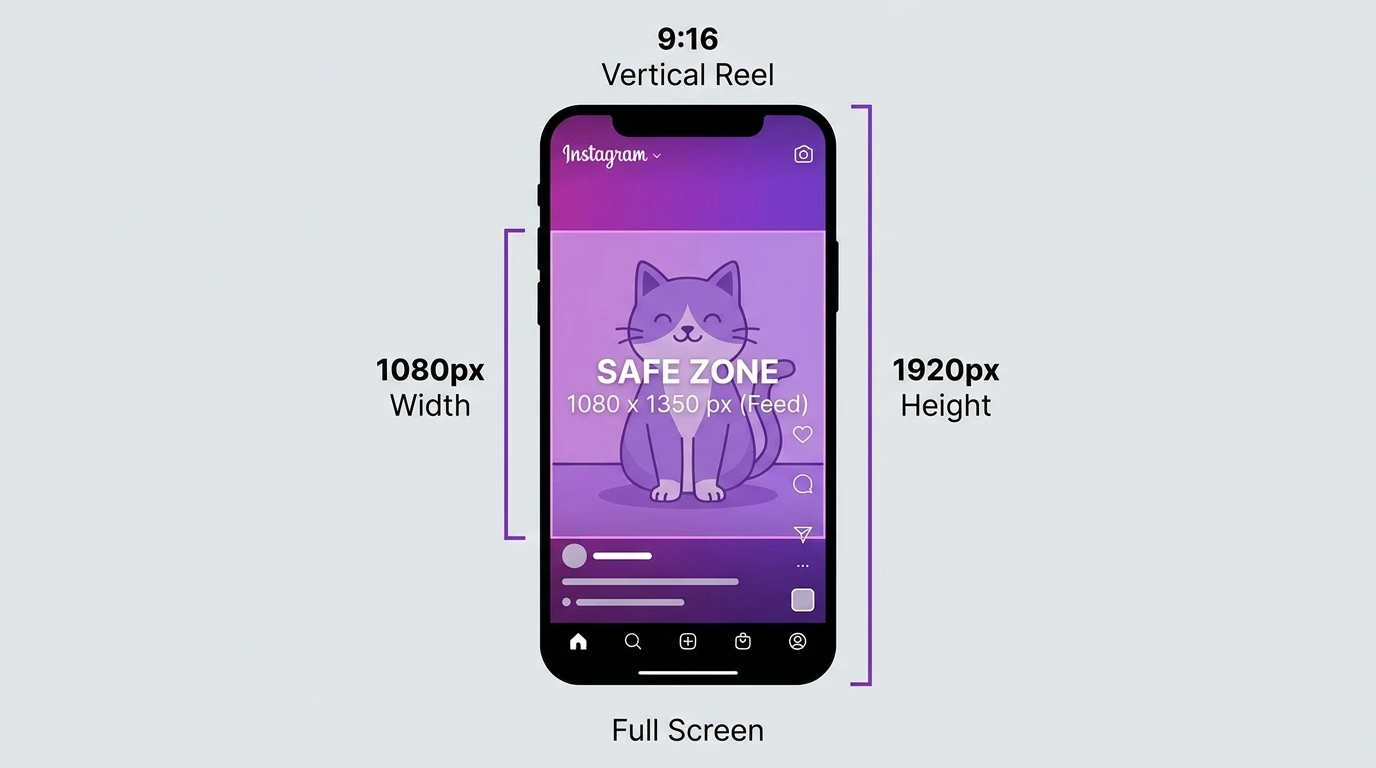
The 9:16 aspect ratio is a vertical format, with nine units wide and sixteen units tall. This matches the full-screen display of a smartphone held upright, which is how the vast majority of Instagram users browse the platform.
A Reel filmed or exported in 9:16 fills the entire phone screen when playing. Any other ratio results in black bars above and below (for landscape content) or cropping on the sides (for square content).
Instagram Reels Safe Zone
The safe zone is the area of your Reel where critical content text, faces, product names, and calls to action should be placed to avoid being hidden behind Instagram’s interface elements.
Instagram overlays several UI elements on Reels during playback:
- Username and audio name at the bottom
- Like, comment, share, and save buttons on the right side
- Caption text at the bottom left
Safe zone guidance:
| Area | Avoid Placing Content |
|---|---|
| Bottom 250 px | Caption, username, audio name overlay |
| Top 150 px | Potential UI overlap |
| Right edge 120 px | Action button overlay |
Keep all important text and visual elements within the central area of the frame approximately centered both vertically and horizontally.
What Happens If You Use the Wrong Dimensions
- Horizontal video (16:9): Displays with black bars above and below the video
- Square video (1:1): Displays with black bars on both sides
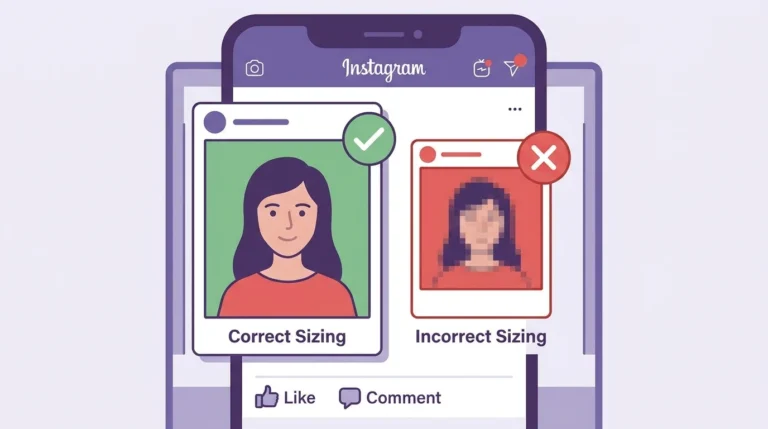
- Too small Resolution: Video appears soft or blurry on HD screens
- Correct dimensions (9:16, 1080 x 1920): Fills the screen cleanly with no bars or cropping
Reels Dimensions for Cover Photo
The Reel cover photo uses the same 9:16 format as the video itself.
| Specification | Value |
|---|---|
| Cover photo size | 1080 x 1920 px |
| Aspect ratio | 9:16 |
| Grid thumbnail display | Center square crop |
If you upload a custom cover image, match these dimensions exactly for the best result.
Frequently Asked Questions
What is the correct size for an Instagram Reel?
The correct size is 1080 x 1920 pixels at a 9:16 aspect ratio. This fills the full screen on a vertically held smartphone.
Can I post a landscape video as an Instagram Reel?
Yes, but Instagram will display it with black bars above and below the video. For the best result, always use the vertical 9:16 format.
What frame rate should I use for Instagram Reels?
30 fps is the standard recommendation. Use 60fps if your content features fast motion or smooth action sequences that benefit from a higher frame rate.
Does Instagram support 4K Reels?
Instagram does not display Reels in 4K. The maximum display resolution is 1080p. Uploading at 4K adds upload time without improving the viewer’s experience upload at 1080p for best results.
What is the maximum file size for an Instagram Reel?
Instagram allows Reel uploads up to 4 GB. In practice, a 90-second MP4 at 1080p rarely exceeds 500MB when exported at standard settings.
Conclusion
Instagram Reels dimensions are straightforward 1080 x 1920 pixels at 9:16 in MP4 format. Using these specifications ensures your Reels fill the screen correctly, display in sharp quality, and keep important content visible within the safe zone.
For a complete overview of Instagram Reels, visit our Complete Instagram Reels Guide.